Settings
Access
Navigate to cloud.optimo.it. For more details read the Login chapter.
Click on the button
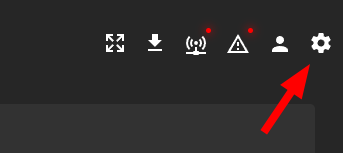
If the button is not visible, it means that you do not have administrator permissions. Contact the person who created your account to ask for information and possibly modify the settings.
Navigation
Depending on the user's level, they can see all or only some of the following menus:
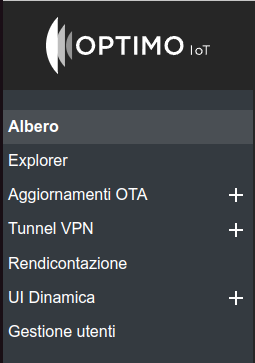
Tree
A graphical representation of the hierarchical structure of the assets is shown. By clicking on each asset, it is opened in the Asset explorer
Explorer
From this interface it is possible to navigate between the assets. The interface is similar to a file explorer (e.g. Windows Explorer). It is possible to modify the name, description, type and geolocation of each asset.
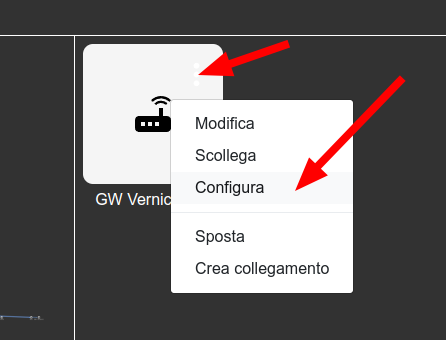
For Gateway type assets, it is possible to access the configuration page by clicking on the 3 dots and then on Configure.
OTA updates
It is possible to view the history of firmware for Optimo IoT Gateways released, view the versions in use in the gateways and start the update remotely (OTA) or locally For more information and instructions consult the specific page
VPN Tunnel
It is possible to view the active VPN tunnels on all Gateways and consult the history of activated tunnels. For more information and instructions consult the specific page
Reporting
For some companies it is possible to view the renewal status of cloud subscriptions
Dynamic UI
Through this interface it is possible to modify in real time the dashboards seen by users
User management
It is possible to modify, disable and delete users.
User creation
It is possible to create infinite users with permissions equal to or lower than their own, by clicking on the "New" button
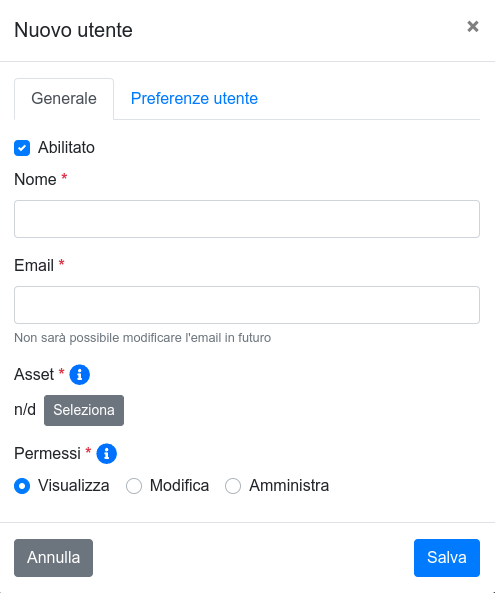
For each user it is essential to specify:
- name (first and last name)
- email address (all lowercase): it will be necessary for login and is the only way through which the user can recover their password
- asset: it is the asset that determines which variables and assets the user has access to. Only for some assets is a dashboard specified! associate users only to these assets, unless there are superior assets able to generate dashboards for the child assets.
- permissions:
- Viewer: can access to variable values (e.g. measurements, alarms, etc)
- Editor:
Viewerpermissions + can edit setpoints of variables of connected devices - Administrator:
Editorpermissions + can edit the configuration of the gateway and the dashboard, and manage users and assets
It is also possible to specify the preferences that the user himself can then modify:
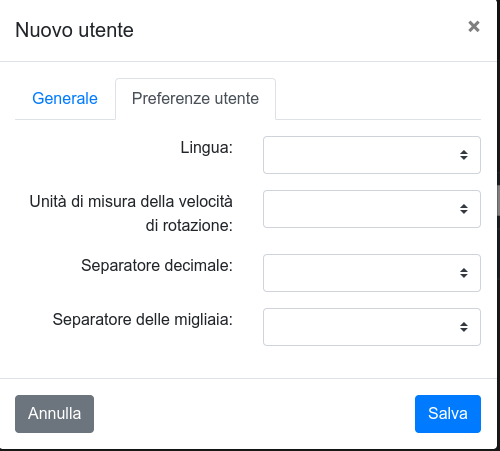
Once created, the user can recover the password independently as specified in Login
This is a draft message to send to newly created users:
Hello XXXXX,
you can access the Optimo IoT cloud platform for the XXXX plant by opening the site cloud.optimoiot.it and using the following login credentials:
- Email: the email address to which you receive this message, written all lowercase
- Password: click on Forgot password to recover it. During the procedure a verification code will be sent to the email address above