Boolean command
Displays the state of a Boolean command and lets the user send the configured activation and deactivation commands. Icons and colors can change according to the current state.
It must only be used with writable variables and after checking the effect of the command on the plant.
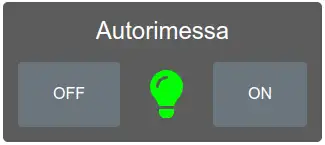
Configuration
State and command variables are chosen through variable selection. Command mode, ON/OFF values, confirmations, icons, and colors are specific to this widget.
State
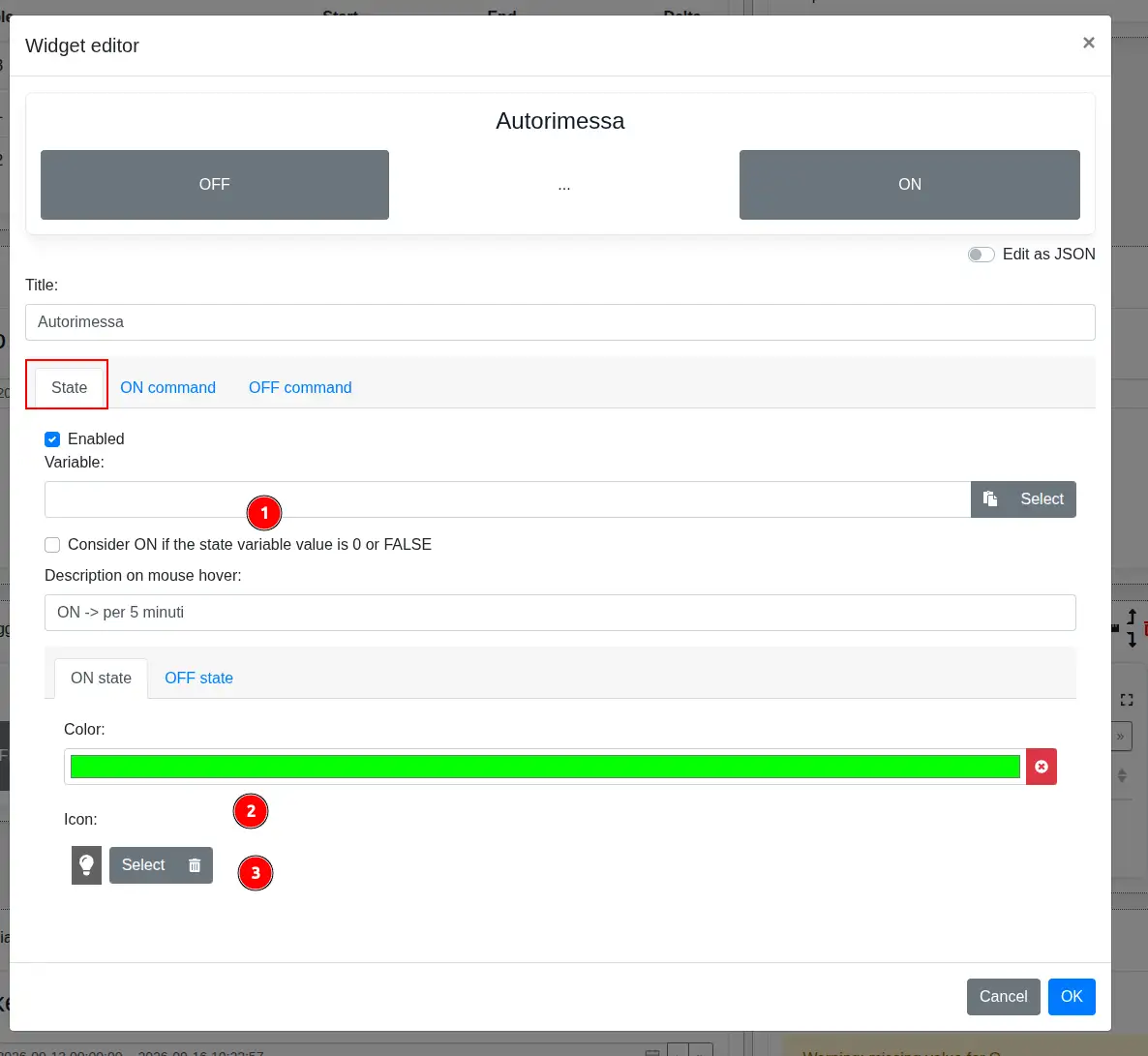
- Variable selects the variable read to determine the current state. Consider ON if the state variable value is 0 or FALSE reverses its interpretation. A description displayed on mouse hover can also be entered.
- In the ON state and OFF state tabs, Color defines the color associated with the corresponding state.
- Icon selects the icon displayed for the corresponding state.
ON and OFF commands
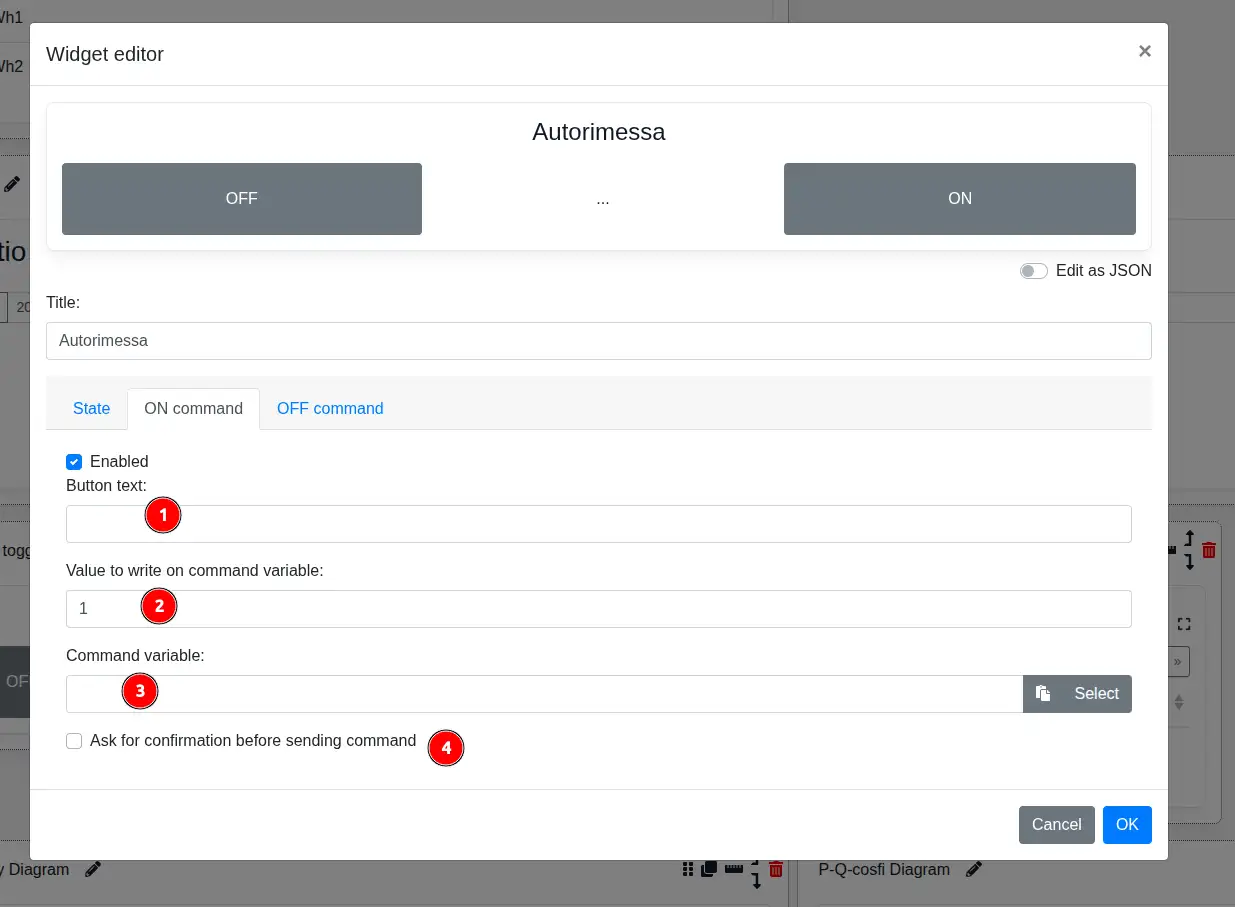
The ON command and OFF command tabs are configured in the same way and can be enabled separately.
- Button text defines the command label.
- Value to write on command variable specifies the value sent when the user presses the button.
- Command variable selects the writable variable that receives the value.
- Ask for confirmation before sending command requires explicit confirmation before writing.