Value table
Displays the latest available values of the selected variables. For writable variables, it can also include a control for changing the value.
It is suitable for collecting current measurements and setpoints in a compact space.
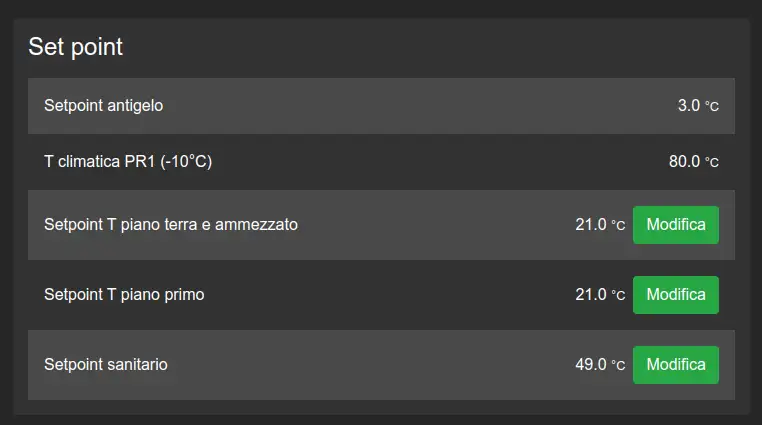
Configuration
This widget uses variable selection and series options. Specific options also determine whether a writable value can be edited.
Specific settings
In the Line options tab, each selected variable has the following additional options.
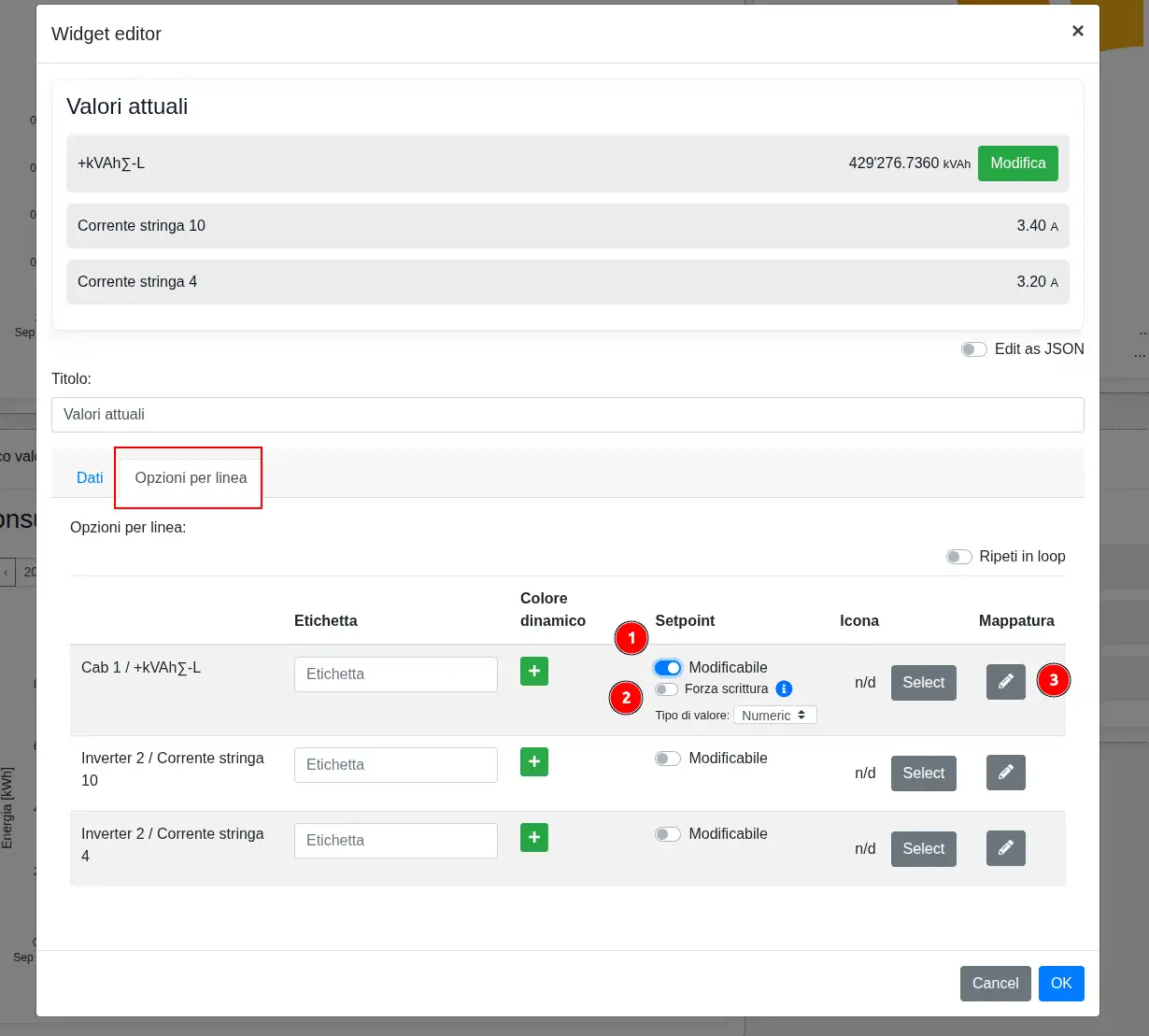
- Dynamic color changes the row appearance when the configured conditions are met.
- Editable displays the command used to change the variable setpoint. Force write sends the command even when the requested value matches the current value; Value type specifies whether the value to write is numeric or text.
- Mapping opens the editor that replaces specific values with more readable text.
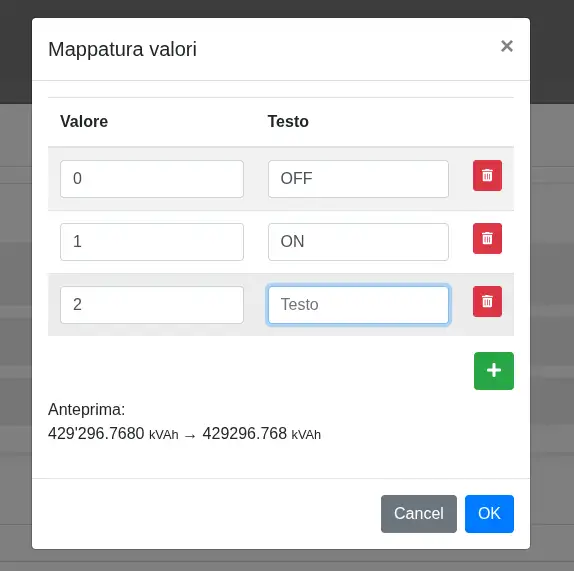
In the Value mapping window, associate each Value with the Text to display. Use + to add an entry and the trash button to remove it; the preview shows the mapping effect before confirmation.
Warning
Enable Editable only for writable variables and after checking the effect of writing on the plant.