Ratio
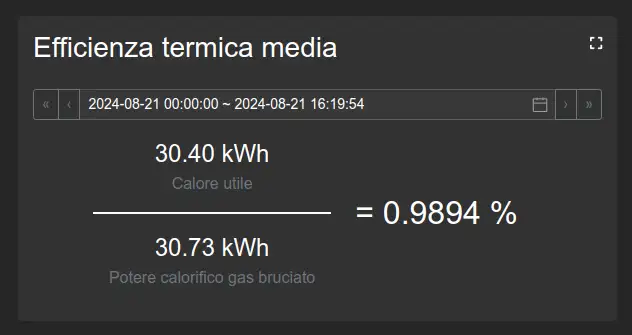
Calculates the ratio between two variables aggregated over the same time range. The numerator, denominator, aggregation function, titles, and units can be configured.
It is suitable for displaying indices, performance ratios, efficiency, and percentages.
Configuration
The numerator and denominator use variable selection. The calculation also uses a time range and an aggregation type. Multiplier, unit, and decimal settings are specific to this widget.
Specific settings
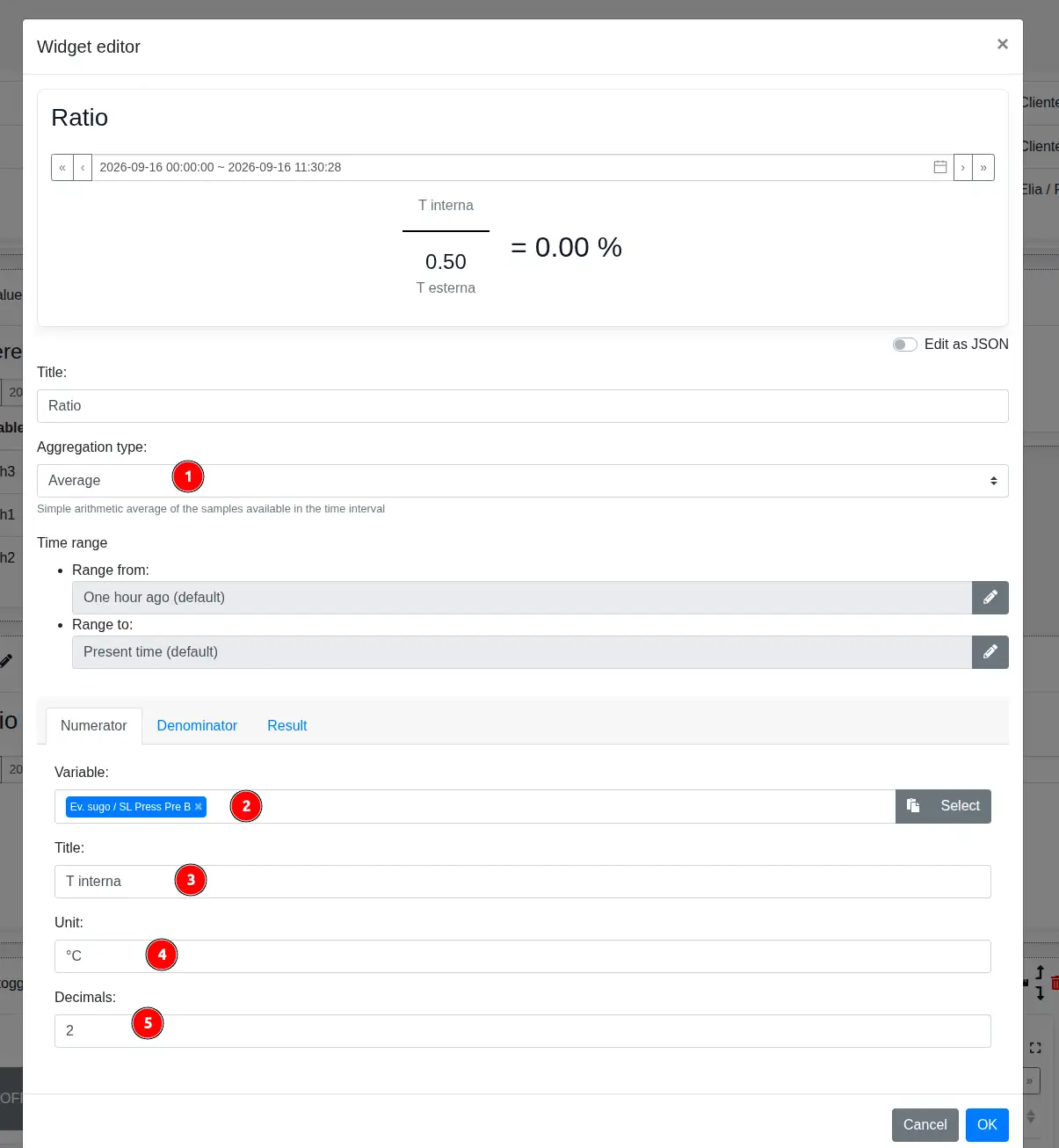
- Aggregation type determines how both values are calculated over the selected time range.
- In the Numerator and Denominator tabs, Variable selects the data used in the corresponding part of the ratio.
- Title defines the label displayed next to the numerator or denominator value.
- Unit specifies the text displayed after the corresponding value.
- Decimals sets the number of decimal places displayed.
The Result tab configures the multiplication factor, unit, and decimal places of the final ratio.